


Blog post vs blog page: Find out which one ranks better on Google in 2026 and the best choice to increase organic traffic and SEO performance.
If you’re using WordPress, then the answer is very clear:
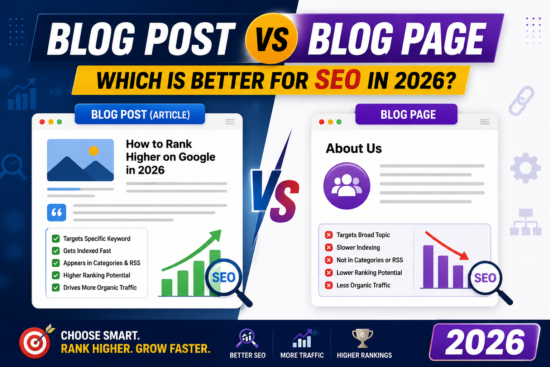
Blog Post vs Blog Page: Which Is Better for SEO in 2026?
✅ Blog Post (Article) ranks much better and faster than a Blog Page.
Here’s why:
| Blog Post | Blog Page |
|---|---|
| ✅ Designed to rank in Google | ❌ Not designed for search content |
| ✅ Gets indexed quickly | Usually indexed, but not ideal for SEO articles |
| ✅ Can target one keyword | Usually targets a broad topic |
| ✅ Appears in categories, tags, archives, RSS | Doesn’t |
| ✅ Gets internal links automatically | Doesn’t |
| ✅ Fresh content signal to Google | Static page |
| ✅ Better for backlinks | Less likely to attract links |
Why Google prefers blog posts
Google loves fresh, regularly updated content.
Every time you publish a new blog post, Google sees your site is active. That helps:
- Faster crawling
- Faster indexing
- More ranking opportunities
- More long-tail keyword traffic
For example:
Blog Post
Target keyword:
- youtube copyright school questions and answers 2026
Google knows exactly what that page is about.
What Pages are for
Pages should be used for permanent content such as:
- About Us
- Contact
- Privacy Policy
- Terms of Service
- Disclaimer
- Advertise
- Tools
- Home Page
These pages rarely rank for competitive informational keywords.
Your website (YKM Media)
For articles like:
- ✅ 300+ YouTube Copyright School Questions and Answers 2026
- ✅ How to Screenshot on Windows
- ✅ The Best Rosemary Oil Routine
- ✅ Facebook Monetization Guide
- ✅ Pinterest Tips
Always publish them as Posts, not Pages.
A strategy that works very well
Home Page
     │
Category
     │
Blog Post (SEO article)
     │
Related Posts
For example:
Home
 └── YouTube
      ├── 300+ YouTube Copyright School Questions and Answers 2026
      ├── YouTube Copyright Strike Explained
      ├── Fair Use Guide
      ├── Copyright Match Tool
      └── Content ID Explained
This creates strong topical authority, which Google rewards.
If your goal is to rank #1 on Google
For every article:
- ✅ Publish as a Post
- ✅ Place it in the correct category
- ✅ Add 3–10 internal links to related posts
- ✅ Include a featured image
- ✅ Optimize the title, meta description, and URL
- ✅ Add FAQ schema
- ✅ Add a table of contents
- ✅ Keep updating the article when new information becomes available (for example, updating it for 2027)
Following this approach gives you a much better chance of ranking than publishing the content as a static Page. Given your focus on growing search traffic to YKM Media, I would publish every SEO article as a blog post and reserve pages for permanent site information and tools.